This is a guest post from Albin Sunnanbo, sharing a convenient config trick for Notepad++.
If you are using Notepad++ as your favorite editor for text files you should configure style mapping for XML files.
Instead of going into the menu Language->Xml everytime you open a file with xml data you can configure XML as default language for certain file extensions.
First go into the menu and select Settings->Style Configurator

Select XML in the left list and in the small textbox User ext. enter your most frequently used file extensions.
For c# development use at least “config csproj sln”.
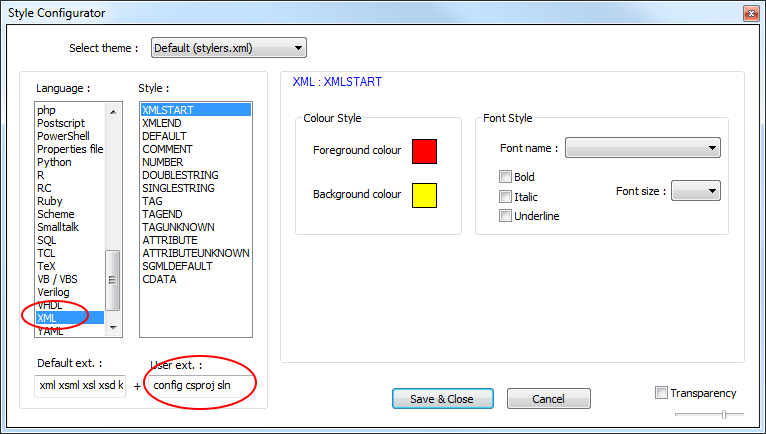
Now XML syntax high lightning will be enabled for those file extensions the next time you open them.